Alphabet Procreate Brush Stamps: Speed Up Your iPad Lettering Workflow
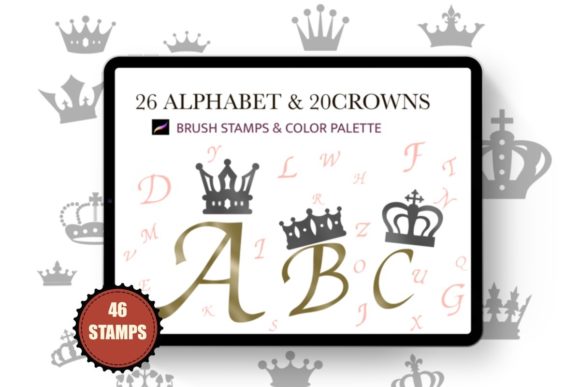
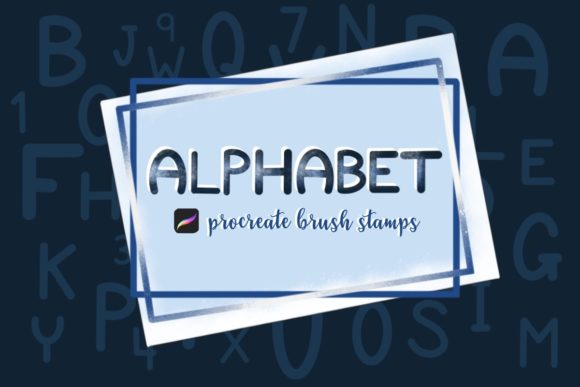
Digital lettering can be a time-consuming process, especially when you are trying to maintain consistency across a large project. Whether you are designing social media graphics, planning a bullet journal spread, or creating custom stickers, drawing every single letter by hand from scratch is not always efficient. This is where Alphabet Procreate Brush Stamps become an essential tool in your digital arsenal. These specialized brushes allow you to stamp pre-designed letters and numbers directly onto your canvas, giving you the flexibility to fill them with color, resize them, and arrange them instantly.
The core appeal of using a dedicated alphabet stamp set lies in the balance between automation and creativity. Unlike static clipart, these brushes integrate seamlessly into the Procreate ecosystem on your iPad. Because they function as stamps, you retain full control over the aesthetic. You can change the color, apply layer effects, distort the shape, or combine them with hand-drawn elements. For creators who value both speed and artistic integrity, this tool bridges the gap between tedious manual drawing and rigid, non-editable templates.
Real-World Applications for Digital Creators
The versatility of Alphabet Procreate Brushes Stamps means they fit into a wide variety of creative workflows. Different users leverage these tools in unique ways depending on their industry and specific project needs.
Social Media Content Creation
For influencers, small business owners, and social media managers, consistency is key. Creating daily stories, posts, or reels often requires quick turnaround times. Using a set of 26 alphabet Procreate Stamps allows you to create cohesive typography for quotes, announcements, or sale alerts without spending hours perfecting your handwriting on every image. You can stamp out a word, adjust the kerning manually by moving individual letters, and apply your brand colors instantly. This ensures that your visual identity remains strong while significantly reducing production time.
Digital Planning and Journaling
The digital planning community has exploded in recent years, with thousands of users relying on their iPad and Apple Pencil for organization. In this context, Procreate tool resources like alphabet stamps are invaluable for creating custom headers, monthly covers, and tracker labels. Instead of struggling to write neat titles for every week or month, planners can use the stamps to generate clean, uniform text. The inclusion of 10 number stamps is particularly useful for dating pages, creating countdowns, or labeling habit trackers. The ability to fill these stamps with different patterns or textures adds a personalized touch that static fonts cannot offer.
Sticker Design and Print-on-Demand
Designers who create digital stickers or print-on-demand products often need to produce variations of text-based designs. For example, if you are selling motivational quote stickers, you might need to create fifty different variations. With Alphabet Procreate Brush Stamps, you can lay out the base text quickly, then spend your energy on decorating around the letters rather than drawing the letters themselves. This workflow is ideal for Etsy sellers and independent artists who need to scale their product offerings without sacrificing quality.
Educational Materials and Worksheets
Teachers and educational content creators can use these brushes to design engaging worksheets, flashcards, and classroom decorations. The playful nature of brush stamps makes learning materials more approachable for students. You can quickly assemble words for spelling tests or create colorful alphabet charts. Since the files are digital and editable, you can reuse the same assets across multiple projects, ensuring a consistent look for your educational brand.
Why Choose Brush Stamps Over Standard Fonts?
You might wonder why one would use brush stamps instead of simply typing text with a standard font. The answer lies in texture and integration. Standard fonts often look too clean and digital, lacking the organic feel of hand-lettering. Alphabet Procreate Brush Stamps mimic the natural variation of ink on paper. When you stamp a letter, it retains the subtle imperfections and texture of a real brush stroke.
Furthermore, stamps are raster-based, meaning they behave like paint rather than vector text. This allows you to use Procreate’s powerful blending modes, clipping masks, and eraser tools directly on the letters. You can erase parts of a letter to create a distressed look, or clip a watercolor texture inside the stamp. This level of artistic manipulation is difficult to achieve with standard type layers without converting them to raster, which can sometimes result in loss of quality or editability.
Technical Considerations and Best Practices
Before diving into your next project, it is important to understand how these tools work technically to get the best results. These brushes are designed specifically for the Procreate iPad Apple Pencil environment. To ensure smooth performance, you should always keep your Procreate app updated to the latest version. Older versions may not support the newest brush file formats or features.
When using the 26 alphabet Procreate Stamps and the 10 number stamps, remember that spacing is manual. Unlike a text box where kerning is automatic, you will need to place each letter individually. This might seem like a drawback, but it is actually a strength. It gives you complete freedom to overlap letters, create arches, or scatter text in organic shapes that standard text boxes cannot accommodate. Embrace the manual placement as part of the creative process.
Another consideration is resolution. Since these are digital stamps, they are optimized for screen use and standard print resolutions. If you are designing for very large format prints, such as billboards, you may need to check the scalability of the stamps. However, for most common uses like social media, web graphics, and standard-sized prints, the quality is more than sufficient.
How to Get Started with Your Download
Getting started with your new tools is straightforward. This is a digital download, so nothing will be shipped to you. Once you purchase the product, you will receive a file named Alphabet_stamps.brushset. Here is how to install and use it effectively:
- Download the file: Save the brush set to your iPad. It usually lands in your Files app under Downloads.
- Locate the file: Open your Files app and navigate to the folder where you saved the download.
- Import to Procreate: Tap on the Alphabet_stamps.brushset file. Procreate should automatically open and import the brushes into your library.
- Verify installation: Open Procreate and check your brush library. You should see a new set containing the alphabet and number stamps.
- Start creating: Select a stamp, choose your color, and tap on the canvas to place your letters.
If you encounter any issues during the download or import process, do not hesitate to reach out for support. Most creators are willing to email the files directly if technical glitches prevent automatic downloading. Remember, the goal of using Alphabet Procreate Brush Stamps is to make your design process easier, quicker, and more fun. By integrating these tools into your workflow, you free up mental energy to focus on composition, color theory, and overall design aesthetics rather than getting bogged down in repetitive lettering tasks.
Whether you are a seasoned professional looking to streamline your client work or a hobbyist wanting to elevate your digital journaling, these stamps offer a practical solution. They transform the iPad into a more powerful design studio, allowing you to produce high-quality, textured typography with minimal effort. The combination of convenience and creative control makes them a worthwhile addition to any digital artist's toolkit.