Pencil Studio Procreate Brush Set Guide
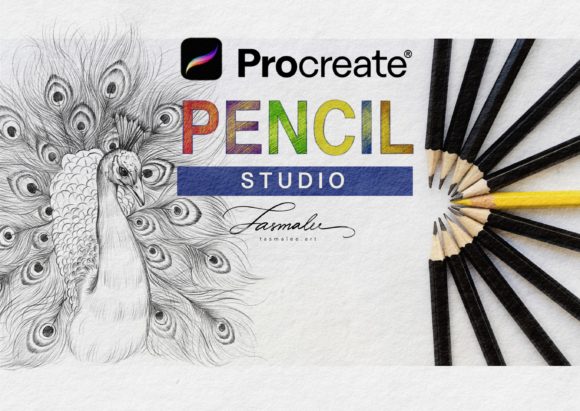
Digital illustration has evolved from a niche hobby into a robust professional industry, yet the gap between traditional media and digital tools often remains a hurdle for many artists. The Pencil Studio Procreate Brush collection, specifically the Nui Pencil Studio set featuring 16 distinct pencil brushes, aims to bridge that divide. Designed exclusively for the Procreate ecosystem, this toolset replicates the tactile resistance, grain, and variability of real graphite on paper. For anyone holding an Apple Pencil and looking to unlock the full potential of their iPad Pro, understanding how these specific brushes function can transform a flat digital sketch into a textured, organic masterpiece.
Understanding the Digital Graphite Experience
At its core, the Pencil Studio Procreate Brush set is not just a collection of lines; it is a simulation of physical media. The 16 brushes included in the Nui Pencil Studio pack are engineered to respond to pressure, tilt, and speed, mimicking the way lead breaks down on toothy paper. This requires specific hardware: an iPad Pro or compatible iPad, an Apple Pencil, and Procreate App version 5.0 or higher. Without these components, the nuanced behavior of the brushes—such as the subtle shading variations or the sharpness of a fine point—cannot be fully realized.
What sets this brush set apart is its focus on authenticity. Many digital brushes feel too perfect, producing uniform lines that lack character. In contrast, these pencils introduce controlled imperfections. They capture the scratchiness of a hard HB pencil and the soft, smudgy depth of a 6B. For artists who miss the sensory feedback of traditional drawing, this digital approximation offers a comforting familiarity while retaining the undo button and layer flexibility of digital art.
Why Beginners Find Value in Structured Simplicity
For those just starting their creative journey, the overwhelming number of options in digital art can be paralyzing. A beginner does not need hundreds of specialized ink pens or watercolor splatters; they need reliable tools to learn fundamentals like form, light, and shadow. The Pencil Studio Procreate Brush set provides a curated environment for learning. With only 16 brushes, novices can focus on mastering pressure control rather than hunting for the right tool.
- Ease of Use: The brushes work out of the box with default settings, reducing technical friction.
- Learning Curve: Mimicking traditional pencils helps beginners transfer skills from physical sketchbooks to the iPad.
- Cost-Effectiveness: Investing in a high-quality brush set early prevents the need to buy multiple inferior packs later.
A student might use these brushes to practice gesture drawing or anatomical studies. The predictable response of the Nui Pencil Studio brushes allows them to build muscle memory. When the tool behaves consistently, the learner can attribute mistakes to their technique rather than software quirks, accelerating the educational process.
Professional Illustrators and the Demand for Texture
Experienced artists and professionals often struggle with the "sterile" look of digital art. Clients and audiences increasingly crave warmth and humanity in illustrations, whether for editorial pieces, book covers, or concept art. Here, the Pencil Studio Procreate Brush becomes a vital asset for adding organic texture. Professionals value these brushes for their ability to break up solid digital colors and introduce noise that mimics traditional media.
Consider a concept artist working on character designs. They might use the harder pencils in the set for clean, structural line work, then switch to the softer variants for rapid shading and volume indication. The ability to toggle between these 16 variations without leaving the canvas maintains workflow momentum. Furthermore, because these brushes are optimized for Procreate 5.0 and above, they leverage the latest engine improvements for smoother stroke rendering, ensuring that high-resolution prints remain crisp and free of pixelation artifacts.
Entrepreneurs and Content Creators: Speed Meets Aesthetics
For bloggers, marketers, and small business owners, time is a critical resource. These individuals often need to produce visual content quickly without sacrificing quality. Hand-lettered quotes, social media graphics, and blog headers benefit immensely from the hand-drawn aesthetic provided by the Nui Pencil Studio set. Unlike standard fonts, text created with these brushes feels personal and engaging, which can increase audience connection and retention.
An entrepreneur launching a new brand might use these pencils to sketch logo concepts or create unique icons that stand out in a crowded market. The flexibility of the brushes allows for quick iterations. If a line isn't quite right, the Apple Pencil’s responsiveness combined with Procreate’s quick gesture controls enables rapid corrections. This blend of speed and artistic integrity makes the Pencil Studio Procreate Brush a practical tool for non-artists who need to convey a handmade, authentic vibe in their marketing materials.
Educators and the Clarity of Communication
Teachers and educators utilize digital whiteboards and tablets more frequently than ever. When explaining complex diagrams, mathematical concepts, or literary structures, clarity is paramount. Standard digital pens can sometimes appear too thin or slippery, making it difficult for students to follow along. The grain and weight of the Pencil Studio Procreate Brush provide better visual presence on screen.
An educator recording a tutorial video might use the softer pencils to highlight key areas of a diagram, creating a natural shading effect that draws the viewer’s eye. The distinct difference between the 16 brush types allows for a visual hierarchy—using fine lines for details and broader strokes for emphasis. This enhances the pedagogical value of digital content, making abstract ideas more tangible and easier to digest for remote learners.
Hobbyists and the Joy of Relaxation
Not every user is creating for commerce or education. Many adults aged 20–50 use digital art as a form of mindfulness and relaxation. For hobbyists, the Pencil Studio Procreate Brush set offers a low-stakes environment to unwind. The tactile satisfaction of dragging the Apple Pencil across the glass, enhanced by the brush’s texture simulation, can be meditative.
A hobbyist might spend an evening sketching plants, portraits, or daily journal entries. The lack of mess—no sharpening shavings, no smudged hands—makes the experience cleaner and more accessible. The Nui Pencil Studio brushes allow these users to enjoy the nostalgic feel of sketching without the logistical hurdles of traditional supplies. It transforms the iPad from a consumption device into a sanctuary for creative expression.
Evaluating Fit: Is This Brush Set Right for You?
Deciding whether to integrate the Pencil Studio Procreate Brush into your workflow depends on your specific goals and hardware. Since this product is only for Procreate, users committed to other platforms like Clip Studio Paint or Photoshop will not find it useful. However, for those within the Apple ecosystem, the decision hinges on several factors:
- Style Preference: If your work relies on clean vector lines or hyper-realistic painting, these pencils may play a minor role. If you value sketchy, organic, or illustrative styles, they are essential.
- Hardware Compatibility: Ensure you have an iPad Pro or compatible model and an Apple Pencil. Older styluses may not capture the tilt and pressure data required for the full effect.
- Workflow Needs: Consider if you need speed and texture. If you find yourself spending too much time adding noise filters to digital drawings, these brushes automate that process naturally.
Ultimately, the Nui Pencil Studio set serves as a versatile bridge between the traditional and digital worlds. Whether you are a professional refining your portfolio, a teacher clarifying lessons, or a hobbyist seeking calm, these 16 brushes offer a reliable, high-quality means of expression. By understanding how each audience segment interacts with these tools, you can better determine if they align with your creative vision and technical requirements.