Mastering the Grunge Brush Stroke: A Practical Guide to Textured Design in Adobe Illustrator
In the realm of digital design, precision is often celebrated. Clean lines, perfect gradients, and vector accuracy define much of modern graphic work. However, there is a growing demand for aesthetics that feel human, imperfect, and raw. This is where the grunge brush stroke becomes an essential tool for designers seeking to inject personality and depth into their projects. Unlike standard digital brushes that produce uniform results, grunge brushes introduce elements of chaos—messy, inky, rough, and textured qualities that mimic traditional media or distressed surfaces.
For professionals using Adobe Illustrator, integrating these textures can be challenging. Vector software is inherently built for smoothness, making the creation of authentic grunge effects a complex task without the right resources. Exclusive grunge brushes designed specifically for this environment offer a solution. These tools are not merely pre-made shapes; they are dynamic, editable assets that allow for significant customization. Understanding how to leverage these brushes, and knowing when they are the appropriate choice compared to other texturing methods, is crucial for elevating your design workflow.
Defining the Modern Grunge Aesthetic
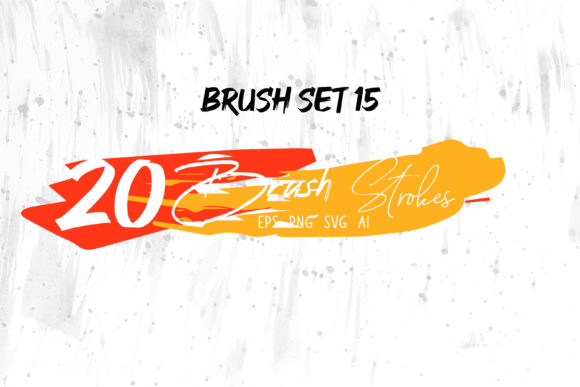
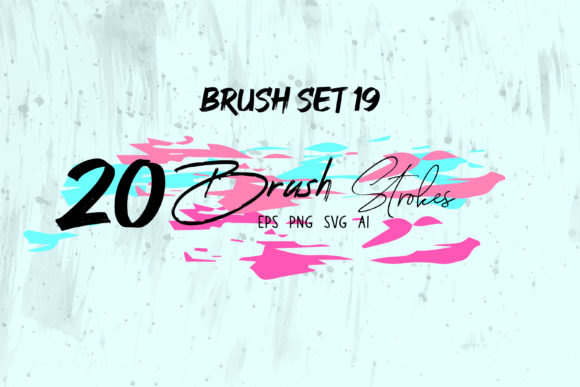
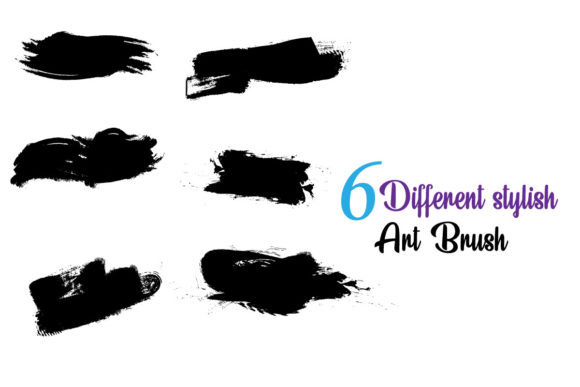
The term "grunge" in design refers to a style characterized by a worn, dirty, or aged appearance. It draws inspiration from punk culture, street art, and analog printing errors. A high-quality grunge brush stroke captures this essence by incorporating irregularities such as ink splatters, dry brush marks, glitch artifacts, and rough edges. When applied correctly, these strokes break the monotony of flat digital colors, adding a tactile quality that engages the viewer.
What distinguishes premium grunge brushes for Adobe Illustrator is their versatility. They are not static images but rather complex vector paths or specialized brush definitions that respond to user input. This means a single brush can produce a subtle texture for a background or a bold, aggressive mark for a headline, depending on the settings applied. The inclusion of messy and glitchy elements allows designers to create visuals that feel contemporary and edgy, appealing to audiences who value authenticity over polish.
Evaluating Workflow Efficiency and Customization
One of the primary considerations when selecting design resources is how they integrate into your existing workflow. Generic texture packs often require raster images, which can lose quality when scaled and are difficult to edit non-destructively. In contrast, exclusive grunge brushes for Adobe Illustrator are typically provided in formats like SVG and EPS, ensuring they remain crisp at any size. This vector-based approach is a significant advantage for projects requiring scalability, such as logo design, large-format printing, or responsive web graphics.
The ability to edit and combine these brushes is a critical feature. Designers are rarely looking for a one-size-fits-all solution. Instead, they need components that can be manipulated. Key features to look for include:
- Color Editability: The brush strokes should accept any color fill or stroke, allowing seamless integration into existing brand palettes without the need for complex masking or recoloring tools.
- Modular Components: High-quality sets often provide individual elements that can be combined. This allows for the creation of unique compositions rather than relying on repetitive, recognizable patterns.
- Compatibility: Files compatible with Adobe Illustrator CC ensure that users can access advanced features and maintain stability across different versions of the software.
By choosing brushes that are easy to customize, designers reduce the time spent on technical adjustments and focus more on creative exploration. This efficiency is particularly valuable in commercial environments where deadlines are tight and client revisions are frequent.
Comparing Grunge Brushes to Alternative Texturing Methods
When aiming for a textured look, designers have several options. Understanding the tradeoffs between using dedicated grunge brushes and other methods helps in making an informed decision.
Vector Brushes vs. Raster Overlays
Raster overlays involve placing high-resolution images of textures (such as paper, concrete, or ink) over vector artwork. While this method can produce highly realistic results, it has limitations. Raster files increase document size significantly and can pixelate if scaled beyond their original resolution. Furthermore, editing the shape of a raster texture requires masking, which can be cumbersome. Grunge brush strokes, being vector-based, avoid these issues. They remain lightweight, scalable, and fully editable within the Illustrator interface. However, raster overlays may still be preferable for photorealistic composites where vector simplicity feels too artificial.
Custom-Built Brushes vs. Pre-Made Sets
Experienced illustrators may choose to create their own brushes from scratch. This offers total control over the aesthetic but requires considerable time and technical skill. Developing a diverse library of messy, inky, and glitchy brushes that behave predictably is a labor-intensive process. Purchasing exclusive, pre-made brush sets provides an immediate library of varied styles. The tradeoff is less initial control over the creation process, but this is often offset by the ability to modify the provided vectors. For most professionals, a hybrid approach—using pre-made brushes as a foundation and tweaking them for specific projects—offers the best balance of speed and uniqueness.
Best-Fit Scenarios for Grunge Elements
Not every project benefits from a grunge aesthetic. Knowing when to apply these textures is as important as knowing how to use them. Here are scenarios where grunge brush strokes excel:
- Brand Identity for Edgy Markets: Brands targeting younger demographics, or those in industries like music, fashion, and extreme sports, often benefit from the rebellious connotation of grunge textures. It helps differentiate the brand from competitors using clean, corporate aesthetics.
- Event Posters and Flyers: Promotional materials for concerts, festivals, or underground events require high visual impact. Rough, textured strokes can convey energy and urgency effectively.
- Social Media Graphics: In crowded social feeds, organic and imperfect shapes stand out against the sea of polished, algorithm-friendly content. Glitchy and messy elements can capture attention quickly.
- Packaging Design: For products that emphasize artisanal quality or raw ingredients, grunge textures can reinforce the narrative of authenticity and handcrafted care.
Conversely, these brushes may be less suitable for corporate reports, medical illustrations, or luxury brands that rely on minimalism and elegance. In such cases, the roughness of grunge strokes might detract from the desired message of reliability and sophistication.
Making the Right Choice for Your Project
Selecting the right texture resources involves evaluating your specific needs. If your project requires frequent scaling, such as logos or signage, vector-based grunge brushes are the superior choice. If you are working on a digital-only campaign with fixed dimensions, raster textures might offer more photographic realism. Consider the level of customization you need. If you plan to reuse elements across multiple campaigns, investing in a versatile, editable brush set provides long-term value.
It is also important to consider the learning curve. While vector brushes are powerful, achieving a natural look requires practice. Designers should experiment with opacity, blending modes, and layering to avoid a "stamped-on" appearance. The best results often come from combining multiple brush strokes, varying their size and rotation to create a cohesive yet chaotic composition.
Ultimately, the decision to incorporate grunge brush strokes should align with your design goals. These tools are not just decorative additions; they are functional assets that can enhance storytelling and emotional resonance. By choosing high-quality, editable brushes compatible with Adobe Illustrator, designers gain the flexibility to adapt their work to various contexts while maintaining professional standards. Whether you are exploring alternatives to clean vector art or seeking to add depth to a flat design, understanding the capabilities and limitations of grunge textures will empower you to make more informed creative decisions.