Mastering Hand-Lettered Designs with the Procreate Lettering Brush - Bawed
Digital illustration has democratized creativity, but finding the right tool that bridges the gap between traditional ink flow and digital precision can be a challenge. This is where the Procreate Lettering Brush - Bawed steps in. It is not just another asset in your library; it is a specialized tool designed to replicate the organic, slightly imperfect beauty of hand-drawn typography. For creators who value authenticity over sterile perfection, this brush offers a tactile experience that feels remarkably close to using a high-quality marker or brush pen on textured paper.
When you download this resource, you are receiving a ZIP file containing the lettering Procreate brush itself, along with a comprehensive PDF guide titled "How to install procreate brush on ipad." This inclusion is crucial because many users, especially those new to the iPad art ecosystem, often struggle with file management. The process is straightforward but requires specific steps to ensure the brush loads correctly into your workspace. You will need to use a free app like FileExplorer File Manager or iZip to unzip the downloaded file. Once extracted, you can choose "Open in Procreate" if your device supports direct linking. If this option does not appear, the manual method is equally simple: open a new canvas, tap the paintbrush icon to access the Brushes panel, tap the import button located above the brush list, and locate the folder containing your downloaded file. Tapping the brush file will instantly load it into Procreate, ready for immediate use.
Why Authenticity Matters in Digital Typography
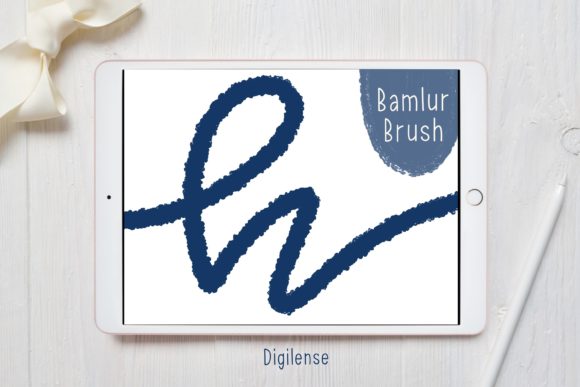
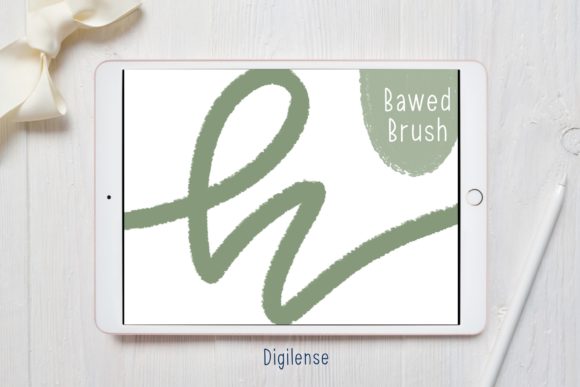
In an era dominated by sleek, vector-based fonts and AI-generated graphics, there is a growing consumer appetite for content that feels human. The Procreate Lettering Brush - Bawed addresses this need by introducing subtle variations in stroke width and texture. Unlike standard digital brushes that produce uniform lines, Bawed responds dynamically to pressure and tilt, mimicking the way ink pools at the start of a stroke or fades at the end. This characteristic is vital for designers who want their work to stand out in a saturated market.
Consider the psychology of branding. A coffee shop owner might choose a clean, sans-serif font for their menu to convey efficiency. However, a boutique bakery specializing in artisanal sourdough might opt for hand-lettered signage to communicate warmth, tradition, and care. Using a brush like Bawed allows digital designers to create assets that carry that same emotional weight without the mess of physical media. It enables the creation of logos, social media graphics, and packaging designs that feel curated and personal, fostering a deeper connection with the audience.
Real-World Applications for Creators and Entrepreneurs
The versatility of the Procreate Lettering Brush - Bawed makes it suitable for a wide range of professional and personal projects. Here is how different users can leverage this tool in their daily workflows:
- Social Media Managers and Influencers: In the fast-paced world of Instagram and TikTok, static text overlays often get lost in the scroll. Hand-lettered quotes or headlines created with Bawed add visual interest and stop the thumb. Because the brush has a distinct personality, it helps establish a consistent aesthetic for a brand’s feed, making posts instantly recognizable.
- Educators and Course Creators: Teachers creating digital worksheets or online course materials can use this brush to highlight key concepts or create engaging headers. The handwritten style feels approachable and less intimidating than formal typesets, which can improve student engagement and retention.
- Wedding and Event Planners: Custom invitations and place cards are huge revenue drivers in the event industry. While calligraphy pens require years of practice, the Bawed brush allows planners to draft elegant, custom lettering digitally. They can experiment with layouts, colors, and phrasing without wasting expensive paper or ink, streamlining the client approval process.
- Small Business Owners: From labeling homemade candles to designing stickers for packaging, small business owners often wear many hats. This brush empowers them to create professional-looking labels in-house, reducing reliance on external graphic designers for minor updates.
Navigating the Learning Curve
While the Procreate Lettering Brush - Bawed is user-friendly, achieving mastery requires understanding its behavior. It is not a magic wand that automatically creates perfect calligraphy; rather, it is a tool that amplifies your hand movements. Users should consider their hardware setup before diving in. Using an Apple Pencil is essential to take full advantage of the pressure sensitivity. Without it, the brush will lack the dynamic range that gives it its character.
Another consideration is canvas resolution. Hand-lettering reveals details that low-resolution files hide. When starting a new project, ensure your canvas DPI is set to at least 300, especially if the final output will be printed. The texture of the Bawed brush shines best when there are enough pixels to render the subtle grain and edge variations. If you plan to use your lettering for large-format prints, such as banners or posters, start with a larger canvas size to prevent pixelation.
Furthermore, think about layer management. One of the benefits of digital lettering is the ability to edit. Instead of drawing the entire word on one layer, consider breaking it down. Sketch your baseline and guidelines on one layer, draft the letters on another, and refine the strokes on a third. This non-destructive workflow allows you to adjust kerning (the space between characters) and composition without erasing and redrawing entire words. The Bawed brush works exceptionally well when used in conjunction with Procreate’s streamline feature, which smooths out shaky hand movements, resulting in cleaner curves while maintaining the brush’s organic texture.
Integrating Bawed into Your Creative Workflow
To get the most out of this tool, integrate it into a broader design strategy. Hand-lettering should complement, not compete with, other design elements. If you are creating a logo, pair the Bawed brush with a simple, geometric sans-serif font for balance. The contrast between the organic, flowing letters and the structured typeface creates visual harmony. For digital planners or journaling enthusiasts, use the brush to create custom headers that match your color palette. Since it is digital, you can easily recolor your lettering to fit seasonal themes or brand guidelines without starting from scratch.
It is also worth noting the psychological benefit of using such tools. For hobbyists and everyday users, the act of hand-lettering can be meditative. The Procreate Lettering Brush - Bawed provides a low-stakes environment to practice mindfulness through creativity. Unlike physical ink, where mistakes are permanent, digital lettering allows for endless iteration. This freedom encourages experimentation, helping users discover their unique style without the fear of ruining expensive materials.
Making the Right Choice for Your Needs
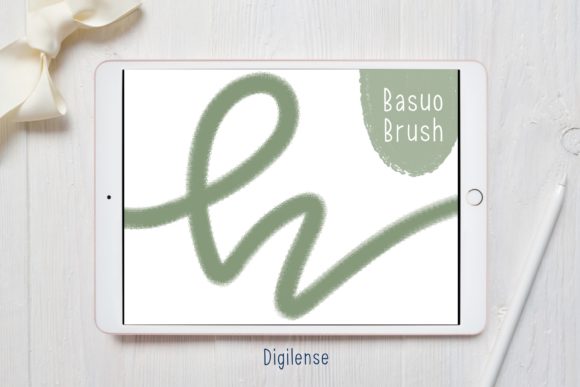
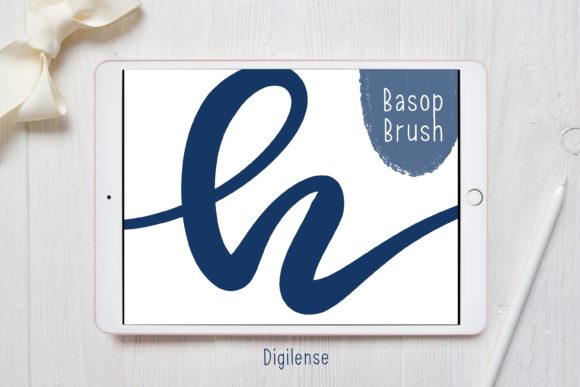
Before downloading or purchasing any digital brush, assess your specific needs. Are you looking for a brush that mimics a dry brush, a wet watercolor, or a sharp marker? The Bawed brush leans towards a marker-like consistency with a touch of texture, making it ideal for bold statements and clear readability. If your primary goal is intricate, fine-line script, you might need to pair it with a finer detail brush. However, for impactful headlines, quotes, and logos, its weight and presence are unmatched.
Additionally, consider the longevity of your investment. Unlike physical supplies that run out, a digital brush is a one-time acquisition that can be used indefinitely across countless projects. The included PDF installation guide ensures that even tech-hesitant users can get started quickly, removing the barrier to entry. By choosing a tool like the Procreate Lettering Brush - Bawed, you are investing in a versatile asset that grows with your skills, offering both immediate utility and long-term creative potential.
Ultimately, the value of this brush lies in its ability to humanize digital design. Whether you are a freelancer pitching to a client who wants a "rustic" vibe, a blogger looking to personalize your header images, or a parent creating custom birthday cards, this tool provides the bridge between technical precision and artistic soul. It reminds us that in a digital world, the imperfections of the human hand are not flaws to be corrected, but features to be celebrated.